

Our Services
All the solutions you need to accelerate growth and drive business success.
All the solutions you need to accelerate growth and drive business success.
Zendesk Services
Most Zendesk implementations are configured to log and route support tickets. The ones that reduce ticket volume, speed resolution, and connect support data to the rest of the business require a different approach from the start.
Zendesk is the support platform customer experience teams choose when they outgrow email and shared inboxes. The teams that get the most from Zendesk are not just using it to manage ticket queues. They have configured automation to route tickets before agents touch them, self-service to deflect tickets before they are created, and integration with the CRM and ecommerce platform to give agents context without switching systems. Dotlogics builds Zendesk installations that work the second way.



Of software features are rarely or never used.
Standish Group Research
Zendesk implementations that never configure routing, self-service, or CRM integration leave a large share of that as agent time spent on tickets that should never have reached a person.
The most common Zendesk problem is not the platform. It is what the implementation never set up. The gap shows up in three consistent patterns.
Dotlogics audits existing setups and identifies every gap, producing a prioritized list ranked by what turns Zendesk into something that reduces volume.

Every Zendesk engagement starts with mapping the current support workflow and identifying what the implementation is not doing that it should.
Setting up Zendesk for a support operation from scratch or restructuring an existing Zendesk instance that is not performing. Configuration follows the actual support workflows, not the platform defaults.
Building the automations that route tickets, trigger SLA alerts, send customer updates, and escalate without agent involvement. Automation that works correctly eliminates the manual triage that consumes agent time.
Building a Zendesk Guide knowledge base that deflects tickets before they are created and gives agents a searchable resource during live interactions. The knowledge base structure is built around actual ticket categories, not generic article topics.
Connecting Zendesk to the CRM and ecommerce platform so that agents see the full customer context without switching systems. Integration is what separates a support team that resolves tickets from one that handles them.
Zendesk has invested significantly in AI capabilities. The native AI features include intelligent triage that automatically tags and routes tickets, suggested replies drawn from the knowledge base, and conversation summarization for agent handoffs. For teams looking to reduce resolution time without adding headcount, these native AI capabilities deliver measurable impact when configured correctly alongside a well-structured knowledge base.
For teams that want to go further, AI agent automation can handle specific ticket types end to end without human involvement. Order status, return requests, and FAQ responses are the most commonly automated ticket types. Dotlogics configures Zendesk AI automation alongside the core implementation for teams that are ready to deploy it. See our AI Agents And Automation services for more.
Results
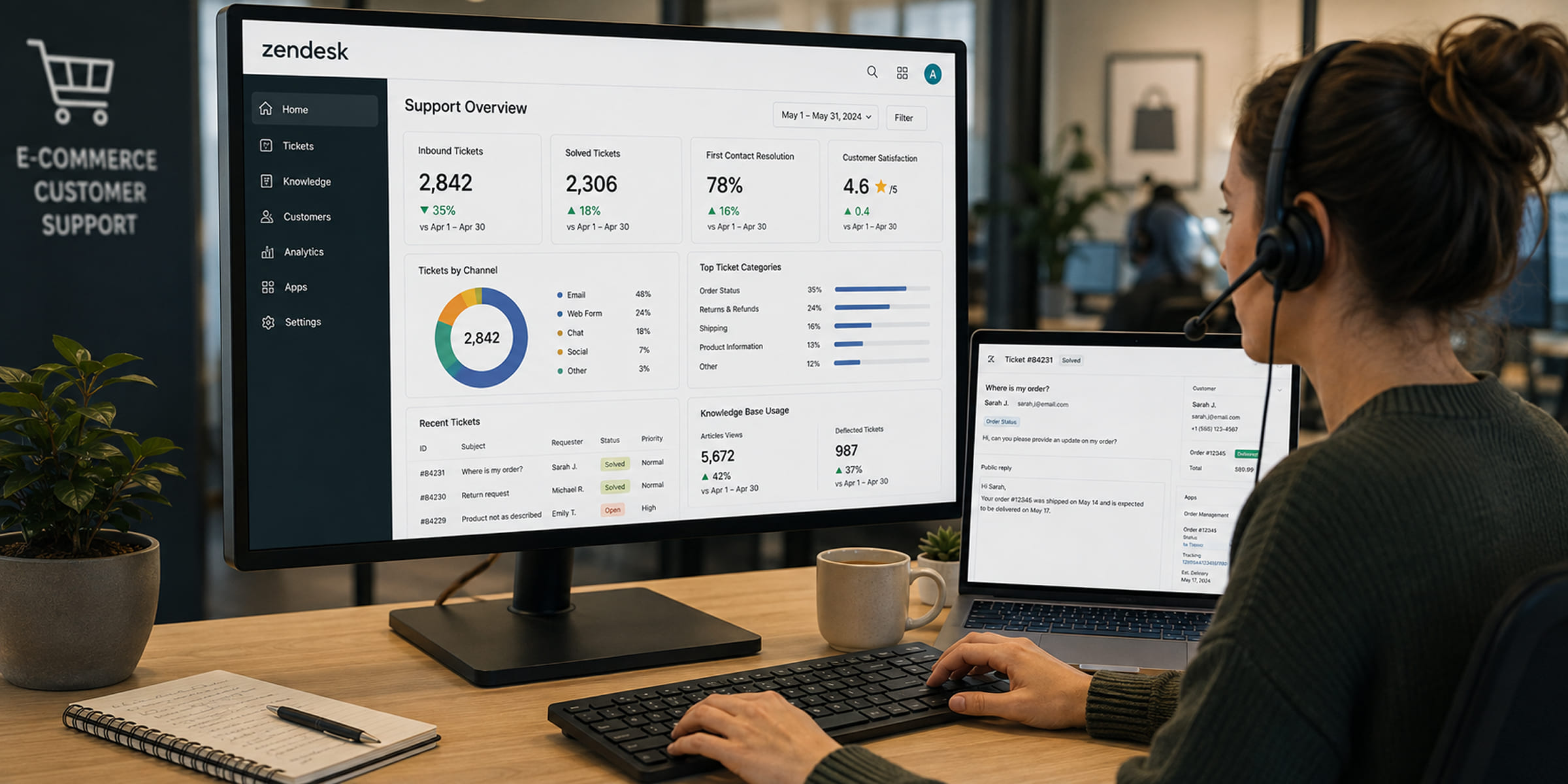
Customer Experience
An ecommerce brand was handling all support tickets through a single Zendesk queue with no self-service knowledge base and no integration with their order management system. Agents were spending significant time answering questions that a knowledge base could deflect and looking up order information in a separate system for every ticket. After rebuilding the routing, deploying a knowledge base structured around actual ticket categories, and integrating Zendesk with the order management system, inbound ticket volume dropped by 35% and first contact resolution improved measurably as agents had order context immediately.
Almost always a configuration problem. Ticket volume overload in Zendesk typically means routing is not working, self-service is not deflecting tickets it should, or the team is handling tickets manually that automation should be handling. A Zendesk audit identifies the specific configuration gaps. Most of them can be addressed without adding agents.
Yes. Restructuring an existing Zendesk instance is more common than fresh implementations. The typical scope is rationalizing trigger and automation rules that have accumulated over time, rebuilding the ticket form structure, and cleaning up the view and reporting configuration. A restructuring project typically takes four to eight weeks depending on the complexity of the current setup.
Zendesk is the strongest choice for teams that need a mature, fully featured support platform with a large integration ecosystem and strong reporting. Freshdesk is a cost-effective alternative for smaller teams with simpler requirements. Intercom is built more around proactive engagement and live chat than ticket management. For support operations handling significant ticket volume across multiple channels, Zendesk's depth is typically worth the higher cost.
Zendesk Suite plans range from $55 to $115 per agent per month for the Suite Professional plans. A team of 20 agents pays approximately $1,100 to $2,300 per month in licensing. Implementation costs add $15,000 to $75,000 depending on the scope and complexity of the configuration. Total cost of ownership for a 20-agent team typically runs $50,000 to $150,000 in the first year including implementation.
Zendesk Suite bundles Support (ticketing), Guide (knowledge base and self-service), Talk (phone support), Chat (live chat), and Explore (analytics) in one plan. Zendesk Support alone covers only ticket management. For most teams that want self-service ticket deflection and analytics alongside ticket management, Zendesk Suite is the appropriate product.
A Zendesk implementation typically takes four to twelve weeks depending on the number of channels being configured, the complexity of the routing and escalation rules, whether a knowledge base is being built, and the number of integrations required. Implementations that include knowledge base development and CRM integration take longer than basic support configuration.
Yes. Zendesk connects to Salesforce, HubSpot, Zoho, and most major CRM platforms. It also connects to Shopify, Magento, BigCommerce, and other ecommerce platforms. These integrations surface customer and order data in the Zendesk agent view so agents have the full context without switching systems. Dotlogics builds and manages these integrations as part of every Zendesk implementation.
A well-structured Zendesk Guide knowledge base typically deflects between 20 and 40% of inbound ticket volume by allowing customers to find answers without contacting support. The return depends on how well the knowledge base articles match the actual questions customers are asking, which is why Dotlogics builds the knowledge base structure around real ticket categories rather than generic article topics.
Zendesk's native AI features include intelligent triage that automatically tags and routes incoming tickets based on content, suggested replies that surface relevant knowledge base articles for agents to send, and conversation summarization for handoffs between agents. For teams ready to go further, AI agent automation can handle specific ticket types end to end without human involvement. Order status, return requests, and frequently asked questions are the most commonly automated ticket types.
The teams that get measurable results from Zendesk have routing that eliminates manual triage, self-service that deflects tickets before they are created, and integrations that give agents context without switching systems. That is what a proper Zendesk implementation delivers.